

Introduction Meta is making another major move in artificial intelligence with Muse Wonder, a new AI model designed to handle complex reasoning, professional tasks, coding, and AI-powered agents. Introduced on October 12, 2026, alongside the more advanced Muse Wonder Full, the model represents Meta’s effort to compete directly with leading AI systems from OpenAI, Anthropic, and Google. Unlike AI assistants designed primarily to answer questions, Muse Wonder focuses on helping users accomplish tasks that involve multiple steps, long-running workflows, and contextual understanding. Its capabilities could make it useful for developers, businesses, and individuals looking to automate more than simple conversations. But what makes Muse Wonder different, and how could it change the way people use AI? What Is Muse Wonder? Muse Wonder is a proprietary AI model developed by Meta Superintelligence Labs. It is designed to support personal and professional AI agents that can understand information, reason through problems, and work toward specific goals. According to Meta’s announcement, the model targets practical applications such as understanding lease agreements, navigating insurance claims, analyzing financial information, and developing software applications. The model is part of Meta’s broader Muse AI initiative, which aims to build more capable AI systems that can assist users with everyday activities and complex professional work. Meta introduced two models in this release: Muse Wonder: The standard model, designed for developers and general agentic applications. Muse Wonder Full: The more advanced version, intended for demanding reasoning, coding, and multi-step professional tasks. Muse Wonder is available through the Meta Model API and Muse Code, while Muse Wonder Full is available to Muse Code subscribers. Source: Meta’s official announcement. What Are the Main Features of Muse Wonder? 1. Active Memory for Better Context Retention One of Muse Wonder’s central features is Active Memory, which helps the model retain relevant information across conversations and retrieve details when they become useful. Traditional AI interactions can become frustrating when a model loses track of earlier instructions or requires users to repeat important information. Memory-oriented capabilities aim to reduce this problem. For example, a project manager could use an AI assistant to discuss a project over several sessions. The assistant could use relevant information about deadlines, requirements, and previous decisions to help with subsequent tasks. For businesses, this could support more consistent workflows and reduce repetitive communication. However, memory capabilities do not automatically guarantee perfect recall. Important facts and decisions should still be verified, particularly in business-critical applications. 2. Active Focus for Multi-Step Tasks Another key feature is Active Focus, which is designed to help the model continue working toward a goal when it encounters difficulties. Instead of stopping after an unsuccessful attempt, the model can try alternative approaches, recover from errors, and request clarification when necessary. Consider a software development task. An AI agent might need to inspect existing code, identify a bug, modify several files, run tests, and correct problems that appear during testing. Active Focus is intended to support this type of extended workflow rather than treating every prompt as an isolated question. This approach is particularly relevant to AI agents, where completing the task matters more than simply generating a plausible response. 3. Advanced Coding Capabilities Muse Wonder is also designed for software development, from creating applications to working through more complicated programming challenges. Potential applications include: Generating and modifying application code. Identifying bugs and suggesting fixes. Supporting debugging and software testing. Assisting with multi-file coding projects. Building prototypes and small business applications. Muse Wonder Full targets more demanding coding workflows, where a model may need to reason across multiple steps and recover from unsuccessful attempts. For development teams, these capabilities could help accelerate prototyping and reduce repetitive programming work. Nevertheless, generated code should be reviewed and tested before deployment, particularly when it handles sensitive information or business-critical operations. 4. Professional Knowledge and Document Analysis Meta is positioning the Muse Wonder family for work across specialized domains, including finance, law, and healthcare. Possible use cases include reviewing contracts, extracting information from lengthy documents, organizing financial records, and assisting with professional research. For example, an AI agent could help a business owner review a lease by identifying payment obligations, renewal clauses, and potentially important restrictions. In finance, the model could help organize information and support preliminary analysis. In healthcare, it could assist with administrative or information-processing tasks, subject to appropriate professional oversight. These applications should not be confused with guaranteed expert-level accuracy. Legal, financial, and medical outputs require suitable verification before users make consequential decisions. Muse Wonder vs. Muse Wonder Full: What Is the Difference? Although the models share the same general direction, they target different levels of complexity. Feature Muse Wonder Muse Wonder Full Primary focus General AI agents and professional workflows More demanding, complex workflows Coding Software development and coding assistance Advanced coding and extended tasks Reasoning Multi-step problem-solving More intensive reasoning for difficult tasks Access Meta Model API and Muse Code Muse Code subscribers Best suited for Developers and everyday agentic applications Complex professional and coding tasks The standard Muse Wonder model may be sufficient for many applications, especially when cost and API access are important. Muse Wonder Full is worth evaluating when tasks demand stronger performance across complex reasoning and agentic benchmarks. The best choice ultimately depends on the application, performance requirements, and total cost of deployment. Muse Wonder Full vs. Muse Wonder: What Is the Difference? Meta introduced Muse Wonder and Muse Wonder Full as related models, but they have different positioning and access options. Muse Wonder is the standard model, available through Meta’s Model API and Muse Code. Muse Wonder Full is positioned as the more capable option for demanding workloads and is available through eligible Muse Code subscriptions. The main differences are summarized below. Feature Muse Wonder Muse Wonder Full Developer Meta Meta Release date October 12, 2026 October 12, 2026 Primary focus General and advanced AI tasks More demanding reasoning and extended tasks Coding support Yes Yes Memory-oriented capabilities Active Memory Active Memory Focus-oriented capabilities Active Focus Active Focus API availability Meta Model
Introduction Artificial intelligence is moving beyond simple question answering toward systems that can manage complex workflows, analyze large amounts of information, and support software development. Meta’s Muse Wonder Full is part of this shift, offering a more advanced version of the company’s new Muse Wonder model family. Released on October 12, 2026, Muse Wonder Full is designed for demanding reasoning, professional applications, and long-running coding tasks. Developed by Meta Superintelligence Labs, it aims to help AI agents maintain context, follow instructions, and work through multi-step problems more effectively. But what makes Muse Wonder Full different from other large language models? How does it perform in benchmarks, what are its potential business applications, and how does it compare with competing AI systems? In this article, we explore its capabilities, availability, limitations, and potential role in the future of AI-powered automation. What Is Muse Wonder Full? Muse Wonder Full is a proprietary AI language model developed by Meta Superintelligence Labs. It belongs to Meta’s Muse Wonder model family, introduced in October 2026 as part of the company’s efforts to compete in the advanced AI market. Unlike general-purpose chatbots designed primarily for short conversations, Muse Wonder Full targets more demanding tasks that require sustained reasoning, multiple steps, and careful handling of context. Its intended applications include: Advanced software development and code analysis. Complex reasoning and structured problem-solving. Professional research and document analysis. AI agents that execute extended workflows. Business tasks involving multiple instructions and dependencies. Multimodal understanding of text and visual information. According to the available model information, Muse Wonder Full supports text and image inputs, with audio and video also listed among its supported input modalities in published technical summaries. Its output is text-based. One important distinction is that Muse Wonder Full is not currently listed as a generally accessible model through Meta’s public Model API. Instead, access is provided through Muse Code subscriptions, making it particularly relevant to developers and professionals who work with AI-assisted coding tools. What Makes Muse Wonder Full Different? Several characteristics distinguish Muse Wonder Full from conventional conversational AI models. 1. Active Memory One of the central concepts associated with the Muse Wonder family is Active Memory. This capability is intended to help the model retain relevant information across interactions and use that information when handling longer tasks. For example, a developer working on a large application may need an AI assistant to remember architectural decisions, dependencies, earlier debugging attempts, and project requirements throughout a development session. Without effective context management, an AI model may repeat suggestions, overlook previous decisions, or contradict earlier instructions. Memory-oriented capabilities aim to reduce these problems. However, memory should not be confused with perfect recall. Models can still overlook details, misinterpret conflicting instructions, or produce incorrect conclusions. Important facts and decisions should therefore be verified. 2. Active Focus Active Focus is another feature associated with Meta’s Muse Wonder models. It is intended to help the model remain aligned with a task’s objectives during extended work. This is particularly relevant to agentic AI systems, which may need to break a request into smaller tasks, complete them in sequence, and respond to unexpected problems. Consider an AI coding assistant asked to investigate a bug, identify its cause, modify the relevant code, and check whether the fix resolves the issue. Completing the request requires more than generating a single code snippet. The system must maintain the original objective while working through several related steps. Active Focus is intended to support this type of sustained task execution. Its practical effectiveness, however, depends on the surrounding tools, permissions, evaluation procedures, and implementation. 3. Advanced Reasoning Muse Wonder Full is positioned for complex reasoning and professional workloads. Such tasks may require comparing competing explanations, evaluating evidence, identifying dependencies, and producing structured recommendations. Potential applications include analyzing financial documents, reviewing technical specifications, assisting with legal research, and investigating complicated software issues. Nevertheless, a model’s positioning does not guarantee that it will outperform every competitor in every reasoning task. Actual results depend on the problem, the quality of the input, the selected model settings, and the evaluation method. 4. Multimodal Input Muse Wonder Full is listed as a multimodal model, supporting text and image inputs. Technical summaries also identify audio and video as supported input types. Multimodal capabilities can make AI systems useful for tasks involving more than written documents. Examples include examining screenshots, interpreting diagrams, understanding visual references, and combining different forms of information. For businesses, these capabilities could support workflows such as visual quality inspection, document processing, and technical analysis. The precise limits of each modality should be checked against the current official documentation before designing a production system around it. Muse Wonder Full Benchmarks: What Do the Results Show? Benchmarks are an important way to evaluate an AI model’s capabilities, but they need to be interpreted carefully. The LLM Stats model profile tracks Muse Wonder Full across several evaluation categories, including memory and coding-related tasks. Its comparison page also reports an overall LLM Stats Score of 51.7, compared with 47.6 for the standard Muse Wonder model. In the reported comparison, Muse Wonder Full performs better on 15 of 16 shared benchmark results. This suggests that the Full version may offer advantages for users prioritizing performance over the standard model. However, these figures should not be treated as proof that Muse Wonder Full is universally superior to other AI models. Composite scores depend on the benchmarks included, their relative weighting, and the methodology used to calculate them. What Do These Benchmarks Measure? Different evaluations test different aspects of model behavior: Reasoning benchmarks: Assess the ability to solve complex problems and follow logical steps. Coding benchmarks: Evaluate code generation, debugging, software engineering, and repository-level tasks. Memory benchmarks: Test whether the model can retrieve relevant details from long conversations, including when information is conflicting or surrounded by distractions. Agent benchmarks: Assess how well a system completes tasks that require multiple actions or interactions with external tools. Professional-domain evaluations: Examine performance on specialized tasks such as healthcare-related reasoning or document

Introduction On October 7, 2026, Anthropic officially announced the release of its new model, Claude Haiku 5.5. This release redefines the category of lightweight, small-scale AI models, designed to be the fastest, most cost-effective, and highest-efficiency model in the company’s family to date. It is directly targeted at high-volume workloads and speed-sensitive, budget-conscious applications. What Does Claude Haiku 5.5 Offer? Designed as a practical and economical solution for developers and enterprises, Haiku 5.5 serves as the first line of defense for high-volume, repetitive workloads with maximum efficiency, such as: Summarizing text and data compaction. Database queries and rapid data classification. Operating as a subagent alongside larger models like Sonnet 5.5 and Opus 5.5 in coding and agentic workflows. Delivering exceptional performance in speed-sensitive tasks, including live customer support, browser use, and direct computer control. Field tests conducted by enterprise customers (such as Asana) demonstrate a 30%+ reduction in task completion latency, along with up to 2.5x faster inference per agent turn compared to previous models. Performance Analysis Independent benchmarks from Artificial Analysis give a clear look at how Claude Haiku 5.5 (Max Effort) performs in real-world tasks. The results show a model that easily balances high speed, solid reasoning, and ultra-low costs. Source: Intelligence Index vs Cost – Artificial Analysis Claude Haiku 5.5 sits right in the Most Attractive Quadrant. This means it delivers strong intelligence without pushing up your API bills. Key performance numbers: It scored 29 points on the Intelligence Index, ranking #22 out of 182 models. This is well above the industry median of 13 points. Generating 177.8 output tokens per second, it ranks as the #24 fastest model available. This makes it ideal for live, speed-sensitive applications. The model gets straight to the point. It used only 32 million tokens to complete the benchmark tests, compared to the 100-million-token average seen in other models. At an average of just $0.02 per evaluation task, it gives developers an exceptionally low-cost entry point for everyday workflows. Pricing Table and the New Cost Structure Haiku 5.5 introduces a two-tier pricing structure based on prompt size, keeping in mind that prompts under 100,000 tokens account for roughly 90% of daily API requests: Token Type / Operation Prompts up to 100k Tokens (per 1M) Prompts over 100k Tokens (per 1M) Comparison to Previous Haiku 4.5 Input Tokens $0.10 $0.50 Was $1.00 (90% discount for tier 1) Output Tokens $0.50 $2.50 Was $5.00 Cache Reads $0.01 $0.05 Was $0.10 (Up to 90% discount) Cache Writes $0.125 $0.625 Was $1.25 The Price Step Above 100,000 Tokens: The pricing equation changes significantly once a prompt crosses the 100,000-token threshold, increasing input and output token rates by 5x: A 99,000-token prompt costs approximately $0.01 (1 cent) to send. A 101,000-token prompt costs approximately $0.05 (5 cents). In other words, a mere 2% increase in text length results in a 400% surge in input costs. Why Real-World Savings Average 75% Instead of 90%: Although the baseline per-token discount reaches 90% for standard prompts, the average real-world savings per job sits around 75%. This gap is driven by two key technical factors: A portion of real-world requests cross the 100,000-token threshold. Haiku 5.5 features an updated tokenizer that breaks down text more granularly, producing ~30% more tokens for the exact same text compared to Haiku 4.5. Source: Claude API Pricing Page Pricing Structure Google has established two pricing tiers for API usage: Introductory Pricing Input Tokens: $2.00 per 1M tokens Output Tokens: $10.00 per 1M tokens Cached Input Tokens: $0.10 per 1M tokens (95% discount) Standard Pricing (Post-Introductory Period) Input Tokens: $4.00 per 1M tokens Output Tokens: $20.00 per 1M tokens Price Comparison Across Market Competitors Data from Artificial Analysis evaluates model costs alongside capability ratings. The following table outlines standard API rates and estimated task costs across leading providers: Model Provider Input Cost (per 1M Tokens) Output Cost (per 1M Tokens) Estimated Cost per Task (Artificial Analysis) Gemini 4 Argon Google $2.00 (Intro) / $4.00 (Standard) $10.00 (Intro) / $20.00 (Standard) ~$2.00 GPT-6.1 Sol (max) OpenAI $1.25 $5.00 ~$1.50 GPT-6 Astra (max) OpenAI $2.50 $10.00 ~$3.20 Claude Sonnet 5.5 Anthropic $3.00 $15.00 ~$5.20 Claude Opus 5.5 Anthropic $5.00 $25.00 ~$7.80 Gemini 3.8 Flash Google $0.50 $1.50 ~$0.90 Introductory Rates for Argon: Input tokens cost $2.00 per million, output tokens cost $10.00 per million, and cached input tokens receive a 95% discount at $0.10 per million. Standard Pricing: After the introductory period expires, the price of $4 per 1M input tokens and $20 per 1M output tokens will apply. While Gemini 4 Argon delivers top tier performance, evaluating its position against market alternatives is essential. For a deeper breakdown of competitor capabilities, see our detailed guide on OpenAI’s latest GPT-6.1 model release. Benchmark Performance and Field Evaluations Official and independent benchmarks highlight Haiku 5.5’s major leap across key domain evaluations: Benchmark & Description Claude Haiku 5.5 (low) Claude Haiku 5.5 (max set) GPT-6 Luna (max) Claude Sonnet 5.5 (max with) AA-Briefcase v1.1 (Agentic knowledge work, (Elo-500)/2000) 31% 54% 42% 66% GDPval-AA v2.1 (Agentic real-world work tasks, (Elo-500)/2000) 31% 56% 47% 67% AutomationBench-AA (Agentic SaaS workflows) 23% 35% 53% 72% Terminal-Bench 4.0 (Agentic coding & terminal use) 13% 33% 13% 64% Humanity’s Last Exam (Reasoning & knowledge) 27% 44% 39% 55% GDP.pdf (Professional document reasoning, All-pass) 11% 21% 23% 26% AA-Omniscience Accuracy (Knowledge) 33% 36% 44% 54% AA-Omniscience Non-Hallucination Rate (1 – hallucination rate) 55% 60% 23% 53% AA-LCR v1.1 (Long context reasoning) 72% 83% 83% 83% Harvey LAB-AA v1.1 (Legal agentic work, Hallucination-Gated All-Pass Rate) 2% 1% 3% 3% Terminal-Bench-Science 0.1 (Agentic scientific research workflows in a terminal) 2% 20% 9% 53% Source: Intelligence Evaluations – Artificial Analysis While Claude Haiku 5.5 leads in cost-effective subagent workflows, enterprises evaluating top-tier models for heavy reasoning can explore our complete Gemini 4 Argon performance and pricing analysis to compare context handling and multi-modal benchmarks. Effort Setting Feature and Model Behaviors Claude Haiku 5.5 is the first model in the Haiku class to feature an adjustable effort setting, offering
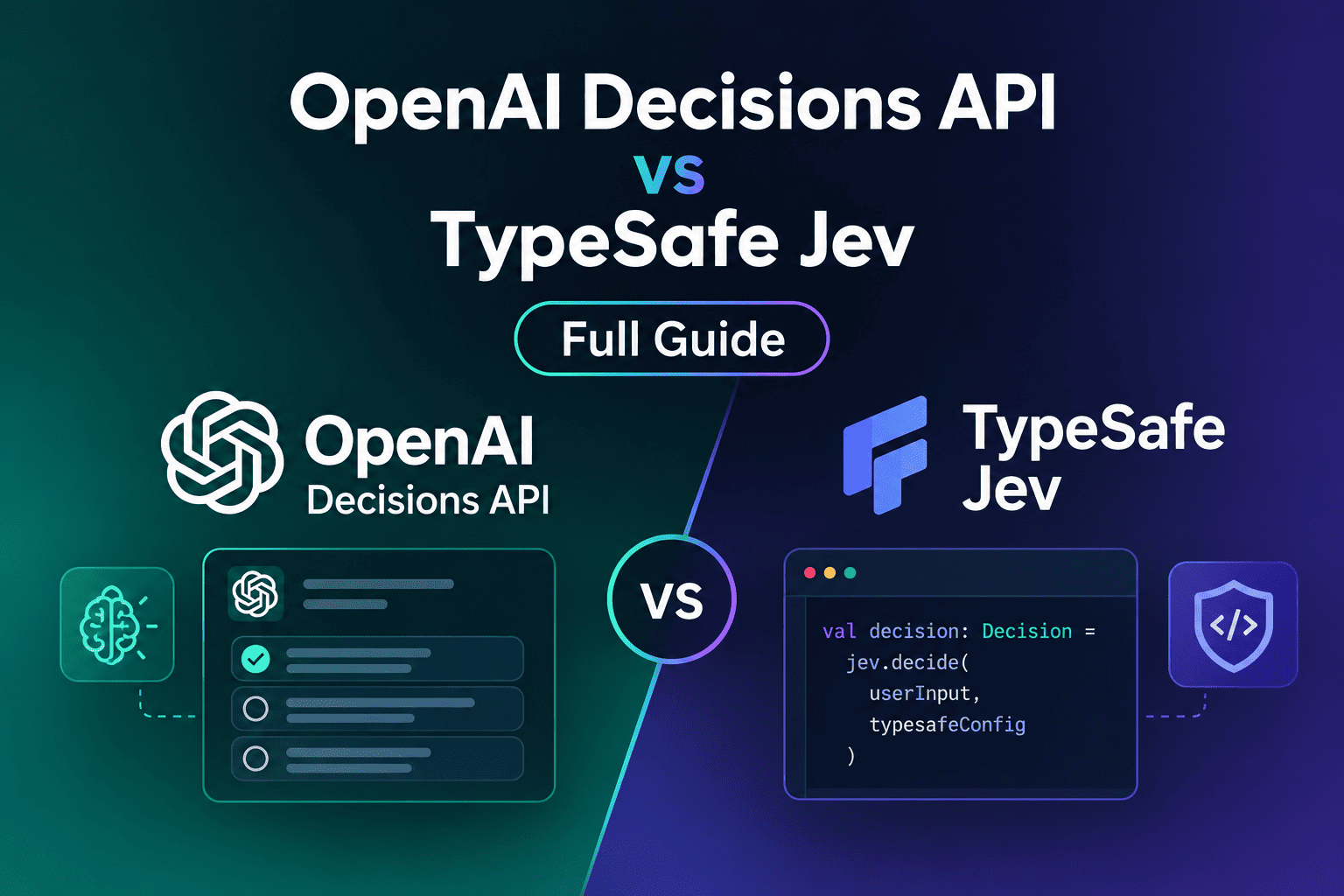
Introduction At DevDay 2026, OpenAI introduced its new OpenAI Decisions API. Just 14 days earlier, TypeSafe AI launched Jev, a fast model made for the exact same purpose. This simple guide explains what a Decisions API is, how it works, and provides a clear comparison of OpenAI Decisions API vs TypeSafe Jev to help you choose the right tool for your software. What Is a Decisions API and Why Do You Need It? In traditional AI agent workflows, software wastes time and money asking big models simple yes-or-no questions, such as: Does this action need human approval? Which code path should we run? Is this shell command safe? Old Chat Approach vs New Decisions API Approach Old Chat Approach:PromptTextOutputTextParserSchemaCheckAction This approach generates unnecessary words, costs more money, and risks parsing errors. New Decisions API Approach:State+BoundedQuestionTypedDecisionPolicyCheckAction This approach skips text generation completely. The model directly picks from options you set in code. How Does a Decisions API Work in 4 Steps? Every Decisions API follows four simple steps: Capture the State: Collect only the needed data (like a ticket text, a screenshot, or a tool output). Ask a Bounded Question: Ask a simple question with clear choices, such as “Which team gets this ticket?”. Pick from Pre-Defined Options: The model picks one answer from your custom list. Run Code Safety Checks: Your app receives the selection and checks user permissions before taking action. Read Also: Launching Jev Model: How does it Change the Game for AI Engineers OpenAI Decisions API vs TypeSafe Jev: Benchmark & Comparison While both models solve the same problem, they are built differently. The OpenAI Decisions API uses a constrained version of GPT-6 Luna, whereas TypeSafe Jev is a purpose-built model that cannot generate text at all. Key Comparison Table Feature / Metric OpenAI Decisions API TypeSafe Jev Status Limited Preview Generally Available (GA) Engine Constrained GPT-6 Luna Purpose-built System One Model Question Types Bounded choice selection Choice, Score, Noul (mixable) Image Input Supported (Text + Images) Not Supported (Text & JSON only) Latency Speed 150 ms (OpenAI DevDay claim) 0.21 s (P50) / 0.34 s (P95) (Live measured) Token Price (Per 1M) $0.10 input / $0.50 output $0.042 input / $0 output (Free) Probabilities Returns overall confidence Returns per-option probabilities + score Speed and Cost Breakdown Latency Performance OpenAI Decisions API: OpenAI reported an average speed of 150 ms at DevDay 2026, which is 10x faster than asking GPT-6 Luna through standard chat. TypeSafe Jev: Live OpenRouter telemetry shows a stable 210 ms (P50) latency across real user traffic. Cost Efficiency TypeSafe Jev is significantly cheaper because it generates zero output tokens, costing just $0.042 per million input tokens. The OpenAI Decisions API runs on standard Luna rates ($0.10 input / $0.50 output per million tokens). Read Aslo: Jev: The Real Secret Behind Building Decision AI Intelligence Index vs. Cost Efficiency Data from Artificial Analysis places Gemini 4 Argon in a favorable position regarding intelligence versus operational cost. Simple Code Example Below is a complete Python example using Pydantic and the `responses.parse()` method to enforce a strict decision schema. You can learn more about how schema enforcement works in the official OpenAI Structured Outputs documentation python from openai import OpenAI from pydantic import BaseModel from typing import Literal client = OpenAI() # 1. Define the strictly bounded decision schema class RoutingDecision(BaseModel): selected_team: Literal[“billing_team”, “tech_support”, “fraud_team”] confidence_score: float # 2. Call the API with strict schema enforcement response = client.responses.parse( model=”gpt-6-astra”, input=[ {“role”: “system”, “content”: “Analyze the ticket and route to the correct team.”}, {“role”: “user”, “content”: “Customer was charged twice on invoice #9948.”} ], text_format=RoutingDecision, ) # 3. Access the typed decision output safely decision = response.output_parsed print(decision.selected_team) # Guaranteed to be one of the Literal values Handling Edge Cases & Refusals When working with user-generated text, always verify that the model did not issue a safety refusal before processing the result: Python for output in response.output: if output.type == “message”: for item in output.content: if item.type == “refusal”: print(f”Request refused: {item.refusal}”) Where Does a Decisions API Fit in Your Agent Architecture? A reliable AI agent stack uses 5 clear layers: Orchestrator: Keeps track of the task, state, and retries. Generative Model: Understands goals, plans steps, and writes text for humans. Decision Model (Decisions API): Answers fast, bounded questions (routing, risk, next action). Policy Engine: Enforces safety rules, rate limits, and account permissions. Action Layer: Runs approved tool calls and logs results. Important Rule: Never let the Decisions API grant permissions. It can suggest that an action looks safe, but your code policy engine must always verify user permissions first. Final Thoughts: Which One Should You Choose? Choose OpenAI Decisions API if: You already use the OpenAI ecosystem or need to process visual context (screenshots and image inputs) for computer-use agents. Choose TypeSafe Jev if: You want a fully public, production-ready solution today (GA) with the lowest possible token cost and detailed per-option probabilities. Visit Our Data Annotation Service Visit Now
Introduction Google has announced its latest frontier model, Gemini 4 Argon. Designed to sustain long reasoning chains across multi-step tasks, the Gemini 4 Argon model represents a major shift in how internal engineering and external enterprise applications operate. From complex coding projects to cybersecurity AI defense, the model focuses on solving real-world problems that require deep logic and long context retention. While Google continues to expand its catalog of Google AI models, the launch of Gemini 4 Argon comes at a competitive time. Many developers are evaluating alternative tools and open-source options that offer lower operational costs. This article examines the core features of Gemini 4 Argon, reviews its AI benchmark scores, and compares it with other leading systems in the market. What Is Gemini 4 Argon and How Does It Work? Gemini 4 Argon is a frontier AI model engineered for deep reasoning and long-horizon tasks. Unlike standard conversational models, it handles complex software engineering, legal document analysis, and automated security fixes. Google currently uses Gemini 4 Argon internally to optimize quantum computing workflows, reduce memory overhead across data centers, and migrate legacy C++ codebases to safe Rust. Because delivering technological capabilities at this breakthrough level requires the utmost caution, Google is taking a phased and safe approach to its rollout. It is actively participating in the U.S. government’s voluntary pre-release process, while gradually expanding availability. Google has already made the model available to a selected group of trusted cybersecurity defenders through its Fairwind Program for cyber defense. Google continues to collect feedback and evaluations from early innovators and testers to refine safety guardrails before introducing Argon to developers, enterprises, and consumers as soon as possible. For more details, read the official announcement directly on the Google Blog. Cybersecurity AI Defense Capabilities A core focus during the development of Gemini 4 Argon was cybersecurity AI defense. The model can autonomously search for software vulnerabilities, verify potential exploits, and apply security patches. For trusted security teams and internal Google engineers, the model is provided without standard cyber guardrails to enable full defensive testing. Security company Wiz integrated Gemini 4 Argon into its Scan for Good initiative to protect public digital infrastructure. During early trials, the model identified a critical vulnerability in global healthcare software that exposed patient data—a security flaw missed by previous frontier tools. In formal evaluations like CWE-bench v1, the model tied for first place with a 68% score in patching vulnerabilities. Key Model Strengths Deep Code Migration (C++ to Rust) Cybersecurity AI Defense & Automated Patching Extended Output Token Capacity (Up to 1M Tokens) High Cost-to-Intelligence Efficiency Ratio AI Benchmark Scores and Performance Analysis Google released a detailed set of AI benchmark scores comparing Gemini 4 Argon against major competitors, including GPT-6 Astra, Claude Fable 5.1, and Claude Opus 5.8. While these published AI benchmark scores show strong performance, independent reviewers have highlighted caveats in specific tests. For example, a review by Epoch AI evaluated the DeepSWE v1.1 coding benchmark and labeled it as flawed due to grading system errors. In over 20% of the sampled tasks, valid code modifications made by models broke the automated test runner, resulting in false negatives. Intelligence Index vs. Cost Efficiency Data from Artificial Analysis places Gemini 4 Argon in a favorable position regarding intelligence versus operational cost. source: AI benchmark scores: Intelligence vs. Cost On the intelligence index scale, Gemini 4 Argon scores above 52 points at an estimated cost of $2.00 per standard task. While models like Claude Opus 5.5 achieve slightly higher intelligence ratings, their per-task costs range between $5.00 and $8.00. This makes Gemini 4 Argon an economical choice for enterprises requiring strong reasoning without extreme price overheads. Sustained reasoning is critical for autonomous systems that make complex execution choices. To understand how underlying engines enable such decisions, read our analysis on JEV and the architecture behind decision AI. Pricing Structure Google has established two pricing tiers for API usage: Introductory Pricing Input Tokens: $2.00 per 1M tokens Output Tokens: $10.00 per 1M tokens Cached Input Tokens: $0.10 per 1M tokens (95% discount) Standard Pricing (Post-Introductory Period) Input Tokens: $4.00 per 1M tokens Output Tokens: $20.00 per 1M tokens Price Comparison Across Market Competitors Data from Artificial Analysis evaluates model costs alongside capability ratings. The following table outlines standard API rates and estimated task costs across leading providers: Model Provider Input Cost (per 1M Tokens) Output Cost (per 1M Tokens) Estimated Cost per Task (Artificial Analysis) Gemini 4 Argon Google $2.00 (Intro) / $4.00 (Standard) $10.00 (Intro) / $20.00 (Standard) ~$2.00 GPT-6.1 Sol (max) OpenAI $1.25 $5.00 ~$1.50 GPT-6 Astra (max) OpenAI $2.50 $10.00 ~$3.20 Claude Sonnet 5.5 Anthropic $3.00 $15.00 ~$5.20 Claude Opus 5.5 Anthropic $5.00 $25.00 ~$7.80 Gemini 3.8 Flash Google $0.50 $1.50 ~$0.90 Introductory Rates for Argon: Input tokens cost $2.00 per million, output tokens cost $10.00 per million, and cached input tokens receive a 95% discount at $0.10 per million. Standard Pricing: After the introductory period expires, the price of $4 per 1M input tokens and $20 per 1M output tokens will apply. While Gemini 4 Argon delivers top tier performance, evaluating its position against market alternatives is essential. For a deeper breakdown of competitor capabilities, see our detailed guide on OpenAI’s latest GPT-6.1 model release. Bridging Frontier Models into Production Deploying powerful models like Gemini 4 Argon into real business workflows requires more than just API access. To handle complex decision chains safely, enterprise applications often rely on structured AI Agent architectures paired with Human-in-the-Loop oversight. This combination ensures high operational accuracy, prevents automated errors in critical tasks, and maintains compliance across sensitive operations. Comparing Google AI Models: Which Tool to Choose? Selecting the right model within the suite of Google AI models depends on specific workflow needs, execution speed, and reasoning depth: Google Model Ecosystem Comparison Gemini 4 Argon: Deep reasoning, 1M output limit Gemini 3.8 Flash: Stable workhorse for coding & reports Gemini 3.1 Pro: Public preview for complex reasoning Gemini 3.5 Flash-Lite: High-speed sorting & field extraction Expanded

Introduction Real-time computer vision is rapidly evolving. From autonomous vehicles and drones to robotics, industrial inspection, smart cameras, and medical imaging, AI systems increasingly need to understand visual information with both high accuracy and extremely low latency. The YOLO family has played a major role in this evolution. After years of improvements in speed, accuracy, and deployment, Ultralytics is preparing its next-generation model family: YOLO27. YOLO27 is designed to continue the YOLO philosophy of fast, practical computer vision while introducing new architectural ideas. The upcoming family combines a streamlined CNN architecture for its smaller models with a query-based, NMS-free detection architecture for its larger models. According to the official Ultralytics documentation, YOLO27 is currently undergoing final research and development. The models are expected to launch later in 2026, but no official release date has been announced yet. The weights, configurations, and implementation code are not publicly available, and the current features and benchmark results may change before release. For developers interested in the evolution of YOLO, our article on YOLO26: The Next Evolution of Real-Time Computer Vision provides useful background on the previous generation and the industry’s movement toward end-to-end, deployment-ready vision models. What Is Ultralytics YOLO27? Ultralytics YOLO27 is an upcoming family of real-time computer vision models designed for a broad range of vision tasks. The family includes four planned model sizes: YOLO27n – Nano YOLO27s – Small YOLO27m – Medium YOLO27l – Large The models are planned to support: Object detection Instance segmentation Semantic segmentation Depth estimation Image classification Pose estimation Oriented object detection Multi-object tracking for supported models One of the most interesting aspects of YOLO27 is that its detection models use two different architectural approaches. YOLO27n and YOLO27s use a streamlined CNN-based design optimized for efficient inference, while YOLO27m and YOLO27l use a query-based architecture that can generate detections without traditional Non-Maximum Suppression (NMS). This makes YOLO27 less of a simple model-size upgrade and more of an architectural evolution of the YOLO family. YOLO27 and the Evolution of YOLO Models The YOLO architecture has evolved significantly since its introduction. Earlier generations focused primarily on making object detection faster and more accurate. Later models introduced improvements in feature extraction, training, model efficiency, and deployment. Developers who want to understand the practical evolution of YOLO can also explore our guide on How to Use YOLOv11 for Object Detection. YOLO27 continues this progression by addressing several challenges that remain important in modern computer vision: Small-object detection Inference latency Post-processing overhead Deployment complexity Accuracy versus model size Efficient edge inference The result is a model family designed around different deployment requirements rather than a single architecture optimized for every situation. YOLO27 vs. YOLO26 YOLO27 is positioned as the successor to YOLO26. However, the key difference is not simply that YOLO27 is larger or more accurate. The new generation introduces different architectural strategies for different model sizes. YOLO27n and YOLO27s The smaller models focus on: Efficient CNN architecture Dual-scale detection Small-object detection Lower detection-head computation Edge deployment Real-time video YOLO27m and YOLO27l The larger models focus on: Query-based detection Transformer decoding NMS-free inference High accuracy GPU deployment Global visual context The official documentation currently recommends continuing to use YOLO26 for production projects until YOLO27 is released. For a detailed look at the previous generation, see our full guide to YOLO26: The Next Evolution of Real-Time Computer Vision. YOLO27’s Two Detection Architectures One of the biggest innovations in YOLO27 is that the four detection models do not all use the same detection architecture. Ultralytics has divided them into two groups. YOLO27n and YOLO27s: Streamlined CNN Architecture YOLO27n and YOLO27s are designed for applications where inference speed and computational efficiency are critical. Traditional object detectors often predict objects using three feature maps: Fine-resolution features Medium-resolution features Coarse-resolution features YOLO27n and YOLO27s remove the medium prediction scale. Instead, they use: A fine feature map for small objects A coarse feature map for large objects Removing the medium prediction map reduces a significant portion of detection-head computation while retaining the feature scales considered most important for small and large objects. This design makes the smaller models particularly interesting for: Edge AI Drones Robotics Smart cameras Real-time video Embedded systems Small-Object Detection In YOLO27 Small-object detection remains one of the hardest challenges in computer vision. Objects that occupy only a small number of pixels contain less visual information, making their classification and localization more difficult. This is especially important in: Drone imagery Traffic monitoring Satellite imagery Surveillance Autonomous vehicles Large-area video analytics Our detailed guide on Small Object Detection in Computer Vision: Challenges, Techniques, and Future Trends explores why small targets are difficult to detect and the techniques used to improve their recognition. YOLO27n and YOLO27s address this challenge by widening an early high-resolution feature stage so that the network can retain more fine-grained information. Combined with the remaining fine-resolution prediction map, this is intended to improve small-object localization and regression. Foreground Alignment Supervision YOLO27n and YOLO27s also introduce foreground alignment supervision. During training, a lightweight auxiliary branch learns to separate foreground objects from background regions. This bridges the gap between dense training supervision and the final one-to-one prediction head. According to Ultralytics, the accuracy gap is reduced from approximately: 0.9 mAP to 0.4 mAP for YOLO26n → YOLO27n 0.8 mAP to 0.4 mAP for YOLO26s → YOLO27s The additional branch is used only during training and removed during inference and export, meaning it does not add deployment-time computation. YOLO27m and YOLO27l: NMS-Free Detection The larger YOLO27 models take a different approach. Instead of generating many overlapping predictions and filtering them using Non-Maximum Suppression, YOLO27m and YOLO27l use a query-based transformer decoder. The decoder works with a fixed set of object queries and progressively refines them to produce the final detections. This means the final predictions can be generated directly without traditional NMS post-processing. Why Does NMS-Free Detection Matter? Traditional object detection systems often produce multiple candidate boxes for the same object. NMS is then responsible for removing redundant predictions. Although NMS works well, it
Introduction OpenAI has announced an exciting update for AI developers and business teams. The official GPT 6.1 release brings powerful performance upgrades at a fraction of the previous cost. With this OpenAI new model, users get high-level intelligence without paying premium prices. The new ChatGPT Sol 6.1 system is designed to handle complex coding, document analysis, and automated workflows smoothly while keeping computational expenses low. What Is ChatGPT-6.1 Sol and Why Does It Matter? GPT-6.1 Sol is designed for organizations that need to run sophisticated AI workloads repeatedly. Instead of using the most powerful model for every task, companies can use Sol for workflows that require substantial reasoning, coding, tool use, or computer interaction while keeping operating costs lower. OpenAI describes GPT-6.1 Sol as offering near-Astra performance for complex work at a lower cost. Key benefits include: Complex coding: Useful for software development, debugging, refactoring, and multi-step engineering tasks. Computer use: Can interact with supported computer environments and web applications. AI agents: Suitable for workflows that require multiple tools and actions. Large-context processing: Supports up to 1.05 million tokens of context. Lower API costs: Standard pricing is $2 per million input tokens and $10 per million output tokens. Advanced reasoning: Supports low, medium, high, extra-high, and maximum reasoning effort. Business automation: Can handle document-heavy and multi-step professional workflows. Multi-agent workflows: GPT-6.1 Sol also supports multi-agent capabilities in beta. Read Also: AI Agent Implementation Checklist for Regulated Industries GPT-6.1 Sol vs GPT-6 Astra vs GPT-6 Luna One of the most important changes in the GPT-6 family is that OpenAI now provides different models for different workload requirements. GPT-6 Astra is positioned as the most capable model for demanding reasoning and professional work. GPT-6.1 Sol is designed for complex work where organizations also need to manage cost. GPT-6 Luna is optimized for high-volume and cost-sensitive workloads. Feature GPT-6 Astra GPT-6.1 Sol GPT-6 Luna Main focus Maximum intelligence Complex work + cost efficiency High-volume efficiency Input / 1M tokens $10 $2 $0.10 Output / 1M tokens $50 $10 $0.50 Context window 1.05M 1.05M 1.05M Max output 128K 128K 128K Complex coding Excellent Excellent Good Computer use Yes Yes Yes Web search Yes Yes Yes File search Yes Yes Yes Best suited for Hardest professional and reasoning tasks Complex recurring workflows High-volume automation Pricing and capabilities are based on OpenAI’s current model documentation. The pricing difference is particularly significant. GPT-6.1 Sol’s standard input price is one-fifth of GPT-6 Astra’s, while its output price is also one-fifth. Cached input is $0.10 per million tokens compared with $1.00 for Astra. This makes Sol particularly interesting for applications that execute thousands or millions of model interactions. Read also: OpenAI’s GPT 5.6 Review: What Makes This New Generation Different? Performance, Speed, and Task Cost Breakdown Understanding the GPT 6.1 release value requires looking at both standard token pricing and real-world task execution costs. According to official OpenAI documentation, ChatGPT Sol 6.1 sets its standard API rates at $2 per million input tokens and $10 per million output tokens, with cached input discounted to just $0.10 per million tokens. However, independent evaluation by Artificial Analysis breaks down how these costs and output speeds scale across the model’s 5 reasoning effort configurations: Output Speed & Latency: The fastest configuration for ChatGPT Sol 6.1 is the Max reasoning effort tier, delivering 64 tokens per second (t/s). High effort reaches 58 t/s, Low effort achieves 54 t/s, while xhigh and Medium effort operate at 53 t/s. For rapid response requirements, the Low effort tier provides the lowest latency, generating the first token in just 3.11 seconds. Cost Per Task (Artificial Analysis Index): On a per-task basis, expenses scale up to 5.5x depending on the reasoning intensity. The Low effort mode is the most economical at $0.13 per task, moving to $0.21 for Medium, $0.32 for High, $0.39 for xhigh, and capping at $0.72 per task for Max effort. Compared to GPT-6 Astra, these performance tiers give developers granular control over execution speed and exact operational expenditure per agent workflow. Artificial Analysis Intelligence Index vs. Cost per Task, showing ChatGPT Sol 6.1 positioning in the most attractive quadrant compared to GPT-6 Astra. Source: ChatGPT Sol 6.1 intelligence vs cost comparison chart by Artificial Analysis GPT-6.1 Sol vs the Original GPT-6 Sol GPT-6.1 Sol is also an evolution of the earlier GPT-6 Sol model. The standard input and output prices remain at $2 and $10 per million tokens, respectively, but cached input is now $0.10 per million tokens compared with $0.20 for the original GPT-6 Sol. More importantly, OpenAI reports improvements in coding and computer-use performance. For example, OpenAI developer-community reporting on the release cites a 75.2% DeepSWE v1.1 score for GPT-6.1 Sol at high reasoning effort, compared with 68.8% for GPT-6 Sol at maximum reasoning effort. On the cited AutomationBench evaluation, GPT-6.1 Sol scored 31.7% at medium reasoning effort. These benchmark results should not be interpreted as a guarantee that Sol will outperform every model on every real-world task. Actual performance depends heavily on prompts, tools, reasoning settings, and the specific workflow. Real-World Applications of OpenAI New Model: GPT-6.1 Sol The biggest opportunity for GPT-6.1 Sol is not simply asking the model questions. Its combination of reasoning, coding, large context, and tool use makes it suitable for multi-step business applications. 1. AI Software Development GPT-6.1 Sol can be used as an AI engineering assistant for: Writing application code Debugging software Refactoring large codebases Generating unit tests Reviewing pull requests Explaining legacy systems Creating API integrations Automating repetitive development tasks For example, a development team could give Sol a product specification and ask it to create the initial application structure, write backend endpoints, generate tests, and identify implementation problems. For extremely difficult engineering problems, teams may still choose Astra. For repetitive development work where cost matters, Sol provides another option. 2. AI Customer Support Agents GPT-6.1 Sol can also be used to build customer-support agents that combine company documentation with external tools. A support agent could: Receive a customer request. Search the company’s

Introduction Tech companies are racing to develop models used for chatting and generating text. However, the emergence of the Jev AI model developed by TypeSafe AI changed the rule by offering a different path. If you think all AI models are built to talk to you like ChatGPT or Claude, this article will change how you view modern software. The Real Problem: Why Was the Decision AI Model Built in the First Place? Companies building AI Agents faced a huge financial and technical roadblock known as Inference Costs. When a developer builds an automated system to manage customer service or run code, the system needs to make dozens of small, repeated decisions: Is this ticket urgent or not? Which software tool should the agent pick right now? Is the action the code is about to take safe? Companies used to rely on large, expensive language models (LLMs) to answer these simple questions. The outputs did not require writing an essay or creative text, just a Structured Decision. This waste of energy and cost caused many AI projects to stop before completion. This is where Diogo Almeida (co-founder of the company and former OpenAI researcher who contributed to InstructGPT research) came up with his core idea: AI does not always need to talk in human language to make a real impact inside software. Why was TypeSafe AI Design Jev Differently? The system works under a concept known as a System One Model (a fast and direct thinking system). Here are the key differences between it and traditional models: Feature Traditional Language Models (LLMs) Jev AI model Primary Goal Text generation and open reasoning Fast and structured decision-making Response Method Predicting the next word (Autoregressive) Calculating direct output probabilities Interface Natural language and chat (Chatbot) Confidence scores and probabilities Cost and Speed Highest cost and slower response time Low cost and extremely fast Read also: Launching Jev Model: How does it Change the Game for AI Engineers How Does Jev Work? And Why Doesn’t It Respond to Natural Language? You cannot open a chat window and type to the model like other systems, as it does not respond to open natural language. Instead, it receives text inputs along with pre-defined categories (Categories & Types). Then, it calculates the mathematical probabilities for the correct output and returns it with a carefully weighted “Confidence Score.” Why Was Jev Designed Without Chat? The system relies on the idea of building decision AI for quick choices. It predicts the mathematical probabilities for the correct output and provides it with a confidence score instead of generating open text. This mechanism allows companies to reduce financial waste and achieve exceptional performance in complex software environments. How Was This Model Trained? (RLCD Technique) It was trained using an innovative method called Reinforcement Learning for Calibrated Decisions (RLCD). This technique ensures that confidence scores do not just reflect superficial guesses. Instead, they express precise mathematical probabilities that show how correct a decision is before taking it, making it an ideal choice for systems built on direct code (Machine-Native AI). Real-World Example: How Does the System Make Decisions? To make the picture simpler, imagine a software server suddenly crashed inside a company. An automated agent steps in to fix the issue. Before writing any code, it must determine 3 items: Choose the right software skill for the problem. Identify the most important reference files for the case. Send the result to the team responsible for system crashes. Traditional models read the problem and write a full report explaining their reasons, which consumes time and money. In contrast, the Jev AI model works in a direct way; it reads text in natural language and returns the result as specific codes and data only, without writing long reports. The Next Shift in Business Automation This project was not built to be just another new tool for talking or writing creative text. It came to solve a real problem troubling software developers: financial cost and operational speed. Relying on decision AI represents the core foundation for the future of autonomous systems. Technical models are shifting from interactive chat tools to quiet background engines operating inside software. The innovation delivered by TypeSafe AI proved that the true value of technology lies not in how well it mimics human speech, but in its ability to make the right decisions as fast and as cheaply as possible. This will reshape how smart applications are built in the coming years. References for Further Reading TypeSafe AI Official Documentation Visit Our Data Collection Service Visit Now
Introduction AI engineers are increasingly building systems that combine large language models (LLMs), AI agents, traditional software logic, and specialized machine learning models. However, not every task requires a model to generate text or perform complex reasoning. This is where the Jev model from TypeSafe AI introduces a different approach. Designed as a first-generation System 1 model for software automation, Jev focuses on making fast, structured decisions rather than generating free-form text. By returning predefined outputs, probabilities, and confidence scores, Jev is designed for applications such as routing, classification, verification, guardrails, and real-time decision-making. Its parallel sampling architecture is also intended to reduce inference latency and make high-volume AI workflows more efficient. So, what exactly is the Jev model, how does it work, and what could it mean for AI engineers building the next generation of AI agents? A Look at the Latest AI Updates: Launching the Jev Model from TypeSafe AI TypeSafe AI announced the launch of its first advanced model named Jev. It is the first generation of System One Models designed specifically for software automation. It makes fast, structured decisions with the same level of intelligence as Large Language Models (LLMs), but with a completely different operational mechanism. Key Features of the Jev Model Eliminating Unstructured Strings for Type-Safe Outputs: The model does not generate free text. Instead, it receives unstructured data and produces predefined structured values alongside probability and confidence scores. This approach is designed to reduce type errors and hallucination risks through a software framework. Parallel Sampling Architecture: Instead of generating text token by token sequentially, the model produces outputs through a parallel query architecture. TypeSafe AI states that this can reduce response latency to approximately 70–500ms, depending on the task. Training Algorithm (RLCD): The model relies on a training method called Reinforcement Learning for Calibrated Decisions (RLCD), rather than traditional RLHF approaches. The focus is on structured decision-making rather than conversational responses. Cost and Speed: Input data: $0.042 per million tokens. Output data: $0.00. Why Jev Could Be Important for AI Agents In AI system development, engineers often use large generative models for tasks that do not actually require text generation. An AI agent may need an LLM to reason through a complex problem, but the next step could require nothing more than answering a simple question such as: Should the system save this file? Yes or no. Using a large generative model for every small decision can introduce additional latency, token usage, and output-processing complexity. Jev is designed to address this gap by providing structured decisions that can be directly integrated into software workflows. 1. The Hidden Tax of Generative Models When building AI agents, a system might use a large reasoning model to generate complex code or analyze a problem and then use another model call simply to determine the next action. For example: Should the agent save the file?Should the request be routed to a human?Is this input potentially malicious?Should another AI model be called? These decisions do not necessarily require a long textual response. Generating lengthy text or JSON for a simple Boolean decision can increase token consumption and introduce output-validation problems. Engineers may also need additional prompt engineering, parsing logic, retry mechanisms, and error handling. A structured decision model offers an alternative architecture for these situations. 2. Why Traditional Alternatives Can Also Create Challenges When teams want to reduce the cost and latency of generative models, they may turn to smaller classification models such as BERT or DeBERTa. These models can be effective for classification tasks, but deploying and maintaining specialized models can introduce additional requirements, including: Continuous data labeling. Model-specific training pipelines. Monitoring and retraining. Handling data drift. Maintaining separate models for different decision tasks. Jev’s approach is designed to provide structured decision-making without requiring engineers to build a separate model for every simple decision. Technical Architecture: How Jev Works One of the key concepts behind Jev is the distinction between System 1 and System 2 processing. Generative AI systems typically perform autoregressive generation, predicting one token after another. Jev instead focuses on directly evaluating an input state against predefined questions and possible outputs. 1. Breaking the Autoregressive Loop Rather than predicting the next token from a very large vocabulary, Jev restricts the possible outputs before inference begins. This allows the model to focus on the decision itself instead of generating a textual explanation. 2. Three Types of Specified Questions Jev evaluates input states using three main types of structured questions: Choice: Selecting an option from a closed list of up to 255 options while returning a confidence score. Score: Evaluating a state on a graded scale, such as determining a risk level. Null / Boolean: Returning a probability between 0.0 and 1.0 for a logical decision such as true or false. 3. Speculative Fan-Out The input state can be encoded once into GPU memory, while multiple specified questions are processed in parallel. This architecture means that evaluating multiple questions can potentially have a similar latency profile to evaluating a single question, depending on the implementation and workload. For AI engineers, this could be particularly useful when an application needs to make several decisions about the same input before continuing its workflow. Direct Use Cases for the Jev Model The structured architecture of Jev makes it potentially useful for several AI engineering applications. Smart Decision Rules Jev can be used for software decisions that would traditionally rely on complex if/else logic. Examples include: Routing requests. Classifying inputs. Selecting workflows. Prioritizing tasks. Determining whether an action should be executed. Real-Time Applications Applications that require rapid responses can benefit from lower-latency decision-making. Potential applications include real-time game-state decisions, interactive systems, and other applications where waiting for a large generative model to complete a response would create unnecessary delay. Big Data Processing The parallel architecture could also be useful for processing large volumes of data. In Map-Reduce-style workflows, organizations could use structured AI decisions to convert large datasets into predefined features, classifications, or signals. Guardrails and Verification Another potential application

Introduction Visual AI is moving beyond simple object detection and image classification. Today, AI systems are expected to understand visual information, make decisions, interact with other tools, and complete tasks with minimal human intervention. This shift is creating demand for more flexible and intelligent visual AI workflows. Instead of building every component separately, developers and businesses need ways to connect computer vision models with reasoning, automation, data processing, and external tools. This is where Ultralytics Agents come into play. By combining computer vision capabilities with agent-based workflows, Ultralytics Agents provide a way to build visual AI applications that can analyze information, take actions, and automate complex processes more efficiently. What Are Ultralytics Agents? Ultralytics is widely known for its YOLO family of computer vision models, which are used for tasks such as object detection, image segmentation, pose estimation, classification, and tracking. Ultralytics Agents extend this vision-focused ecosystem toward AI workflows where models can do more than simply return predictions. An AI agent can be designed to: Understand a task or objective Analyze visual information Use computer vision models Process model outputs Interact with tools or applications Make decisions based on predefined workflows Trigger actions automatically Work through multi-step processes This creates a bridge between computer vision and intelligent automation. For example, rather than simply detecting a vehicle in an image, a visual AI workflow could identify the vehicle, determine its location, track it across multiple frames, analyze additional information, and trigger an action based on the result. Why Visual AI Workflows Are Becoming More Complex Traditional computer vision applications often follow a relatively straightforward pipeline: Input → Model → Prediction → Output For many applications, this approach works well. But real-world AI systems frequently require additional steps. Consider a warehouse monitoring application. A model might detect workers, forklifts, packages, and restricted areas. However, detection alone may not be enough. A complete workflow might need to: Detects objects in a video stream. Track objects across frames. Determine whether a person has entered a restricted area. Check the duration of the event. Record relevant information. Notify an operator. Store the event for later analysis. The computer vision model is only one part of the overall system. This is why modern visual AI applications increasingly require workflows rather than standalone models. From Computer Vision Models to AI Agents AI agents introduce another layer of intelligence around models. Instead of treating a computer vision model as an isolated component, an agent-based workflow can use model outputs as part of a broader decision-making process. For example: Camera Feed → Vision Model → Agent → Decision → Action The vision model provides information about what is happening. The agent can then use that information within a workflow to determine what should happen next. This architecture can be particularly useful when applications involve multiple steps, tools, or conditions. Example: Automated Safety Monitoring Imagine an industrial facility where cameras monitor work areas. A visual AI workflow could detect: Workers Safety equipment Vehicles Restricted zones Potential hazards The agent could then evaluate the detected information against predefined rules. If a worker enters a restricted area without the required safety equipment, the workflow could: Create an incident record Capture relevant evidence Notify the appropriate team Assign a priority Store the event for further review Instead of requiring a human to continuously monitor every camera, the system can automate parts of the monitoring process. Key Benefits of Agent-Based Visual AI 1. Faster Workflow Development Building a sophisticated AI application from scratch can require significant engineering effort. Developers may need to integrate: Computer vision models APIs Databases Business logic Automation tools Monitoring systems Notification services Agent-based approaches can simplify how these components are connected, helping teams move from an idea to a functional workflow more quickly. 2. Multi-Step Automation Many visual AI applications are not single-step problems. An agent can help coordinate multiple operations within the same workflow. For example: Detect → Analyze → Verify → Decide → Act This can reduce the amount of manual orchestration required between individual components. 3. Better Use of Visual Data Organizations generate enormous amounts of visual information through cameras, inspections, medical imaging, autonomous vehicles, retail systems, and other applications. The challenge is not simply collecting this data. It is turning it into useful information and actions. Visual AI workflows can help organizations move from: Raw visual data → Insights → Decisions → Actions 4. Flexible Integration Real-world applications rarely operate in isolation. A visual AI workflow may need to communicate with databases, APIs, dashboards, alerting systems, or internal business applications. An agent-based architecture can provide a flexible layer for connecting these different components. 5. Human-in-the-Loop Workflows Automation does not always mean removing humans from the process. For sensitive or complex applications, AI can identify relevant cases and send them to human experts for review. For example: AI detects → AI evaluates → Human verifies → System records result This approach can be valuable when accuracy, compliance, or safety is critical. Use Cases for Ultralytics Agents The combination of computer vision and agent-based workflows can support a wide range of applications. Autonomous Vehicles Autonomous driving systems process large volumes of visual information from cameras and other sensors. Visual AI workflows can help with tasks such as: Object detection Vehicle and pedestrian tracking Road-scene understanding Traffic monitoring Event detection Data validation Agents can help coordinate these outputs and connect them with downstream systems. Manufacturing Factories can use computer vision to monitor production lines and identify anomalies. Possible workflows include: Product inspection Defect detection Worker safety monitoring Equipment monitoring Inventory tracking Production analytics Instead of simply identifying a defective product, an automated workflow could flag the item, record the defect, notify an operator, and update the relevant production system. Retail Retailers can use visual AI to understand activity inside stores. Applications may include: Customer movement analysis Shelf monitoring Product detection Inventory monitoring Queue analysis Loss prevention An agent can connect visual insights with business systems to support automated responses. Healthcare Medical imaging represents another area where visual