Introduction
Visual AI is moving beyond simple object detection and image classification. Today, AI systems are expected to understand visual information, make decisions, interact with other tools, and complete tasks with minimal human intervention.
This shift is creating demand for more flexible and intelligent visual AI workflows. Instead of building every component separately, developers and businesses need ways to connect computer vision models with reasoning, automation, data processing, and external tools.
This is where Ultralytics Agents come into play.
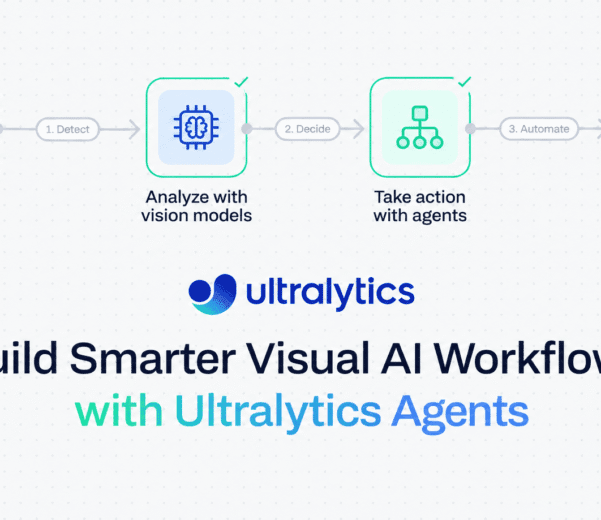
By combining computer vision capabilities with agent-based workflows, Ultralytics Agents provide a way to build visual AI applications that can analyze information, take actions, and automate complex processes more efficiently.
What Are Ultralytics Agents?
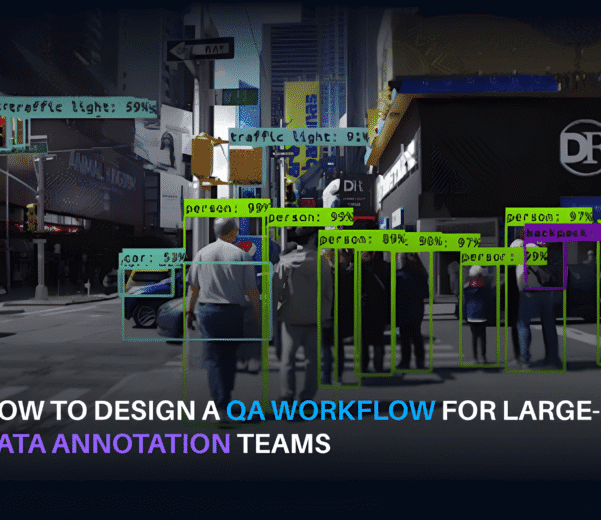
Ultralytics is widely known for its YOLO family of computer vision models, which are used for tasks such as object detection, image segmentation, pose estimation, classification, and tracking.
Ultralytics Agents extend this vision-focused ecosystem toward AI workflows where models can do more than simply return predictions.
An AI agent can be designed to:
- Understand a task or objective
- Analyze visual information
- Use computer vision models
- Process model outputs
- Interact with tools or applications
- Make decisions based on predefined workflows
- Trigger actions automatically
- Work through multi-step processes
This creates a bridge between computer vision and intelligent automation.
For example, rather than simply detecting a vehicle in an image, a visual AI workflow could identify the vehicle, determine its location, track it across multiple frames, analyze additional information, and trigger an action based on the result.
Why Visual AI Workflows Are Becoming More Complex
Traditional computer vision applications often follow a relatively straightforward pipeline:
Input → Model → Prediction → Output
For many applications, this approach works well. But real-world AI systems frequently require additional steps.
Consider a warehouse monitoring application. A model might detect workers, forklifts, packages, and restricted areas. However, detection alone may not be enough.
A complete workflow might need to:
- Detects objects in a video stream.
- Track objects across frames.
- Determine whether a person has entered a restricted area.
- Check the duration of the event.
- Record relevant information.
- Notify an operator.
- Store the event for later analysis.
The computer vision model is only one part of the overall system.
This is why modern visual AI applications increasingly require workflows rather than standalone models.
Key Benefits of Agent-Based Visual AI
1. Faster Workflow Development
Building a sophisticated AI application from scratch can require significant engineering effort.
Developers may need to integrate:
- Computer vision models
- APIs
- Databases
- Business logic
- Automation tools
- Monitoring systems
- Notification services
Agent-based approaches can simplify how these components are connected, helping teams move from an idea to a functional workflow more quickly.
2. Multi-Step Automation
Many visual AI applications are not single-step problems.
An agent can help coordinate multiple operations within the same workflow.
For example:
Detect → Analyze → Verify → Decide → Act
This can reduce the amount of manual orchestration required between individual components.
3. Better Use of Visual Data
Organizations generate enormous amounts of visual information through cameras, inspections, medical imaging, autonomous vehicles, retail systems, and other applications.
The challenge is not simply collecting this data. It is turning it into useful information and actions.
Visual AI workflows can help organizations move from:
Raw visual data → Insights → Decisions → Actions
4. Flexible Integration
Real-world applications rarely operate in isolation.
A visual AI workflow may need to communicate with databases, APIs, dashboards, alerting systems, or internal business applications.
An agent-based architecture can provide a flexible layer for connecting these different components.
5. Human-in-the-Loop Workflows
Automation does not always mean removing humans from the process.
For sensitive or complex applications, AI can identify relevant cases and send them to human experts for review.
For example:
AI detects → AI evaluates → Human verifies → System records result
This approach can be valuable when accuracy, compliance, or safety is critical.
Use Cases for Ultralytics Agents
The combination of computer vision and agent-based workflows can support a wide range of applications.
Autonomous Vehicles
Autonomous driving systems process large volumes of visual information from cameras and other sensors.
Visual AI workflows can help with tasks such as:
- Object detection
- Vehicle and pedestrian tracking
- Road-scene understanding
- Traffic monitoring
- Event detection
- Data validation
Agents can help coordinate these outputs and connect them with downstream systems.
Manufacturing
Factories can use computer vision to monitor production lines and identify anomalies.
Possible workflows include:
- Product inspection
- Defect detection
- Worker safety monitoring
- Equipment monitoring
- Inventory tracking
- Production analytics
Instead of simply identifying a defective product, an automated workflow could flag the item, record the defect, notify an operator, and update the relevant production system.
Retail
Retailers can use visual AI to understand activity inside stores.
Applications may include:
- Customer movement analysis
- Shelf monitoring
- Product detection
- Inventory monitoring
- Queue analysis
- Loss prevention
An agent can connect visual insights with business systems to support automated responses.
Healthcare
Medical imaging represents another area where visual AI can support complex workflows.
Computer vision models can assist with image analysis, segmentation, detection, and other tasks. Agent-based workflows can then help organize results, route cases for review, and integrate outputs into larger processes.
For healthcare applications, however, appropriate clinical validation, privacy controls, regulatory requirements, and human oversight remain essential.
Security and Infrastructure Monitoring
Organizations can use visual AI to monitor facilities, infrastructure, and public or private spaces.
Workflows can identify specific events and automatically route them to the appropriate teams.
For example:
Camera → Detection → Event classification → Alert → Human review
This can help reduce the amount of information operators need to manually review.
The Importance of High-Quality Data
Even the most advanced visual AI workflow depends on the quality of the data behind it.
Poorly labeled or inconsistent training data can lead to:
- Incorrect detections
- Missed objects
- False positives
- Inconsistent segmentation
- Poor performance in edge cases
As visual AI workflows become more sophisticated, data quality becomes even more important.
A production workflow may involve millions of images, video frames, 3D point clouds, or other data types. Maintaining consistency across such volumes requires robust annotation guidelines, quality assurance, validation, and monitoring.
This is where high-quality AI data operations become a critical part of the AI lifecycle.
Building a Reliable Visual AI Pipeline
A successful visual AI application typically involves more than selecting a model.
A production-ready pipeline may include:
1. Data Collection
Collect representative data from the environments where the system will operate.
2. Data Annotation
Create accurate labels for objects, regions, events, or other visual features required by the model.
3. Quality Assurance
Use multiple levels of review and validation to identify annotation errors and inconsistencies.
4. Model Development
Train, fine-tune, or evaluate the appropriate computer vision models.
5. Agent Workflow Design
Define how model outputs should be interpreted and what actions should follow.
6. Integration
Connect the workflow with existing tools, applications, databases, or APIs.
7. Evaluation
Test the system against real-world scenarios, including difficult edge cases.
8. Continuous Improvement
Monitor performance and continuously improve the data, models, and workflows as new scenarios emerge.
Why Data Quality Matters for Agents
It can be tempting to focus primarily on the agent or model architecture. However, unreliable input data can undermine the entire workflow.
Consider a safety monitoring system.
If the vision model fails to detect a worker because the training data did not contain sufficient examples of:
- Different lighting conditions
- Occluded workers
- Different camera angles
- Protective clothing
- Crowded environments
the downstream agent may never receive the information it needs to make the correct decision.
In other words:
Better workflows require better visual data.
High-quality datasets help create a stronger foundation for both computer vision models and the intelligent workflows built around them.
The Future of Visual AI
The evolution of AI is moving toward systems that can perceive, reason, and act.
Computer vision provides the perception layer.
AI agents provide a way to coordinate information, reasoning, tools, and actions.
Together, these technologies can create systems that are more capable than standalone prediction models.
Instead of asking:
“What is in this image?”
future visual AI systems can increasingly answer questions such as:
- What is happening?
- Is it important?
- What should happen next?
- Which system should be notified?
- Does a human need to review it?
- What action should be taken?
This represents a significant shift from visual recognition to visual intelligence.
Building Smarter Visual AI Workflows
Ultralytics Agents represent an important step toward making computer vision part of broader AI workflows.
By combining vision models with agent-based automation, developers can create systems that do more than detect and classify objects. They can build workflows that interpret visual information, coordinate multiple steps, interact with other systems, and automate actions.
However, successful deployment requires more than an intelligent agent. Reliable infrastructure, carefully designed workflows, high-quality data, rigorous testing, and appropriate human oversight are all essential.
As organizations continue to adopt visual AI across industries, the ability to connect perception, intelligence, and action will become increasingly important.
The next generation of computer vision is not just about seeing more.
It is about turning what AI sees into meaningful decisions and actions.
Frequently Asked Questions
What are Ultralytics Agents?
Ultralytics Agents extend computer vision capabilities into broader AI workflows, allowing visual models to work alongside reasoning, automation, tools, and other systems to support multi-step tasks.
How can AI agents be used with computer vision?
AI agents can use outputs from computer vision models to classify events, apply rules, trigger actions, communicate with external systems, and route specific cases to human reviewers.
Why is data quality important for visual AI workflows?
Computer vision workflows depend on reliable input data. High-quality, accurately labeled datasets help models perform more consistently across different environments, edge cases, and real-world conditions.
Can visual AI workflows include human review?
Yes. Human-in-the-loop workflows can route uncertain, sensitive, or high-priority cases to human experts for verification before an action is completed.
Ready to Build Your Visual AI Workflow?
From data collection and data annotation to validation and AI-ready datasets, SO Development helps organizations build the high-quality data foundation required for reliable computer vision and AI systems.
Have a visual AI project in mind? Let’s discuss your requirements and find the right workflow for your needs.